
A new colleague, a separate address for invoices, or an info@ address alongside your own address? You can request an extra email address on your own domain from us. Here you can read about the choices you make, what information you need to provide, and how to set up the address afterwards.
In short
- First choose: your own mailbox or an address that forwards.
- Request the address via the contact form, by email, or by phone.
- Provide the address, the name of the user, and the type.
- You will hear from us in advance what an extra address costs.
- After that, set up the address on your devices.
Mailbox or forwarding address?
- A personal mailbox: the address has its own inbox with its own password. The mail is stored there, and you can send from it. Handy for a colleague who emails themselves.
- A forwarding address: mail sent to this address arrives in another, existing mailbox. Handy for example for invoices@ that should land in your inbox. Replies from that address do not always happen automatically.
Unsure what fits better? Ask us; we will think along about what is possible for your situation.
This is how you request it
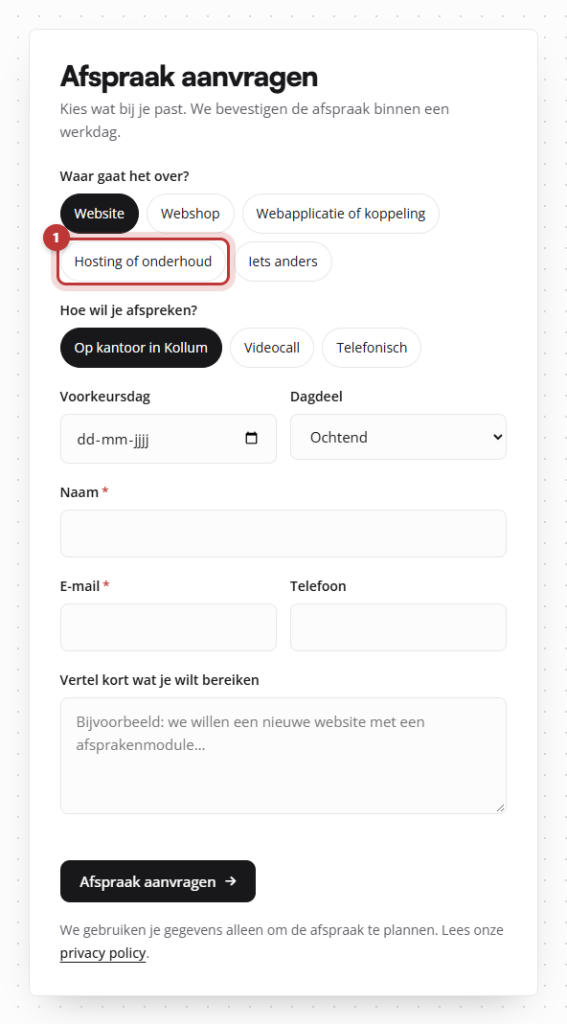
Send us your request via the contact form (select Hosting or maintenance as the subject), email to info@lefcreative.nl or call 06 35 66 47 73. Please provide the following information:
- the address you want, for example
jan@yourcompany.com; - the name of the user, as it should appear from the sender;
- whether it should be a personal mailbox or a forwarding address (and if so, to which address);
- when the address should become active.
Never include a password in your request. You will receive the login details for the new address securely from us.
Nog geen website op leflite?
Wij bouwen hem samen met jou. Daarna pas je alles zelf aan, precies zoals in dit artikel.
- Online binnen een week
- Hosting, SSL en back-ups inbegrepen
- Vanaf €49,95 per maand

What does it cost?
Our packages include one email address (see web hosting). The cost of an extra address depends on the type and storage you need. You will always hear the price from us in advance, before we create the address.
Setting up on your devices
Do you have the details of the new address? Then set it up on your phone, tablet, or computer just like you did with your other address. How to do that per app is explained in setting up email on your devices.
Tip: for general addresses like info@, prefer a forwarding address or a shared mailbox over the private address of one colleague. If that colleague leaves, the mail will still come in.
Canceling an address
Is a colleague leaving? Let us know. We can deactivate the address or forward the mail to a colleague so that no customer messages are lost. If you want to keep the mail from that address, make sure to save it safely before the mailbox is deactivated. An overview of everything related to email and your domain can be found in everything about email, domain, and hosting. If your domain is not with us, first read linking your domain name.
Share this article

Robert Oosterloo
Robert Oosterloo is eigenaar en UX/UI-designer van Lef Creative in Kollum. Hij ontwerpt websites, webshops en software voor ondernemers in Noord-Nederland.
Read also
Customize welcome email and password email
Restoring a backup
How do I ensure that the email from my website arrives?






Want a website like this?
Here you can read how easy it is to maintain a leflite site yourself. Want one too? We will think along with you, no strings attached.
Prefer direct contact? Call Robert at 06 35 66 47 73 or send a WhatsApp.