
Knowledge Base
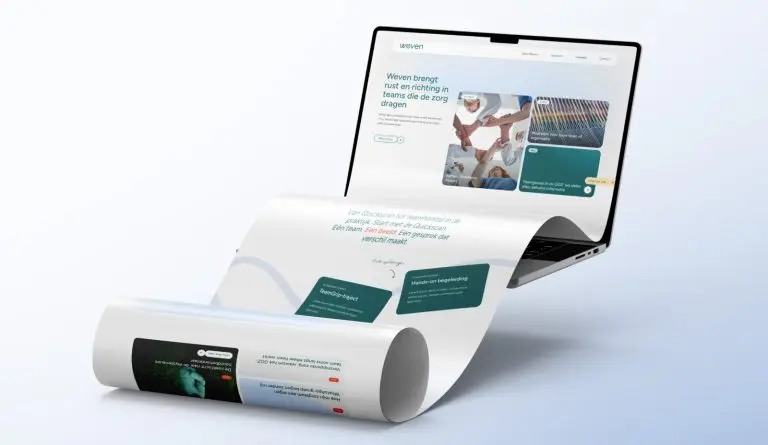






Everything you can do with your leflite website, explained step by step. From a new page to forms, SEO, and maintenance.
142 articles in 17 topics
Topics
Blocks & editor
- How do I automatically display my latest posts or pages (Highlight)?
- How do I automatically insert my phone number, address, or date into text?
- How do I use the Text block (headings, formatting, color, and icons)?
- How do I set up a slider (number of slides, autoplay, arrows)?
Branding & settings
- How do I automatically insert my phone number, address, or date into text?
- How do I give a section a background color?
- How do I set up a search function on my website (including live search)?
- How do I add a WhatsApp button to my website?
Builders & patterns
- What are builders and patterns?
- How do I adjust a synced pattern or unlink it on one page?
- What is the difference between a synced and an unsynced pattern?
- How do I place a section above the footer on every page?
Email & hosting
- How do I customize the emails for new users and password recovery?
- How do I restore a backup of my website?
- How do I set who receives the form messages?
- How do I ensure that the email from my website arrives?
Forms
- How do I set who receives the form messages?
- How do I ensure that the email from my website arrives?
- How do I prevent spam in my forms?
- How do I view and export submissions, and how long are they kept?
Get Started
- How do I find my way in the WordPress dashboard?
- What is the difference between a page and a post?
- How do I log in to my website (and what if I forget my password)?
- Why do I need to confirm my login via email?
Images & video
- How do I set up a slider (number of slides, autoplay, arrows)?
- How do I set a video as a background?
- How do I set a photo as the background of a section (with overlay or gradient)?
- Why is my website slow and what can I do about it?
Maintenance & safety
- Which plugins are included by default in my website?
- How do I log in to my website (and what if I forget my password)?
- Why do I need to confirm my login via email?
- How do I keep my website safe and up-to-date?
Menus & footer
- How do I create a subpage under a main page?
- How do I link to a spot further down the page (anchor)?
- How do I set up a search function on my website (including live search)?
- How do I fill the footer or a sidebar with widgets?
Modules & messages
- How do I automatically display my latest posts or pages (Highlight)?
- How do I place a quote or customer statement?
- How do I display categories as buttons, links, or cards?
- How do I create expandable blocks with the accordion?
Pages & sections
- How do I create tabs that show different sections?
- How do I create more space between two blocks?
- How do I automatically display all my subpages as tiles?
- How do I create a card with an image, text, and a button?
SEO & discoverability
- How do you get found in AI search engines like ChatGPT?
- How do I use the Text block (headings, formatting, color, and icons)?
- How do I display a breadcrumb trail (breadcrumbs)?
- How do I let visitors share a page on social media?
All articles
142 articles
Being found in AI search engines
What really works to be mentioned in ChatGPT, Google AI overviews, and Perplexity, and what can you skip.
Automatically display posts or pages
An overview that updates itself: posts, pages, reviews, or your own selection, as cards or a slider.
Setting up a slider
How many slides, infinite, automatic, space, and arrows: all slider settings for desktop and mobile.
Automatically inserting phone number in text
Details that you maintain in one place, inserted into your text with one click: phone, address, opening hours, date, reviews.
Using the Text block
Headings, links, lists, pasting without clutter, giving a word a color, and icons in the text.
Tabs with Section tabs
Tabs that show a different section per click, linked via the section ID.
More space between blocks
Extra space between blocks with Horizontal Spacing, and when it’s better to adjust the section padding.
Key figures with the counter
Key figures that count up, with euro sign, plus sign, and a short subtitle.
How do I add a button?
A button with a link, size, color, and icon, and multiple buttons next to each other.






No website with Lef yet?
This knowledge base is for everyone with a leflite website. Don’t have one yet? Schedule a no-obligation conversation, and we’ll see together what you need.
Prefer direct contact? Call Robert at 06 35 66 47 73 or send a WhatsApp.