
How do I place a section above the footer on every page?

Robert Oosterloo
Updated on · 3 min read
A contact block or a call to action like “Request a quote” is often desired at the bottom of every page. Instead of placing it separately on each page, you can select it once in the General options. It will then automatically appear on every page, right above the footer.
In short
- First, create a builder with the section.
- Go to General options, tab Footer.
- Select the builder under General builder above footer and click Update.
- You can choose multiple builders; they will be stacked vertically.
- Want to remove it? Take the builder out of the field.
Nog geen website op leflite?
Wij bouwen hem samen met jou. Daarna pas je alles zelf aan, precies zoals in dit artikel.
- Online binnen een week
- Hosting, SSL en back-ups inbegrepen
- Vanaf €49,95 per maand

Step 1: Create a builder with the section
The section above the footer is a regular builder. If you already have it on a page, save it with Create pattern. Starting over? Go to Builders → Add New. See creating a pattern from a section. Give the builder a clear name, like “Footer CTA”, and publish it.
Step 2: Go to General options, tab Footer
Click on General options in the left menu and open the Footer tab.
Step 3: Choose the builder under General builder above footer
Find the field General builder above footer. The explanation: “Choose a builder to display on every page above the footer.” Click on your builder in the list on the left, and it will appear on the right in the selection. Click Update.
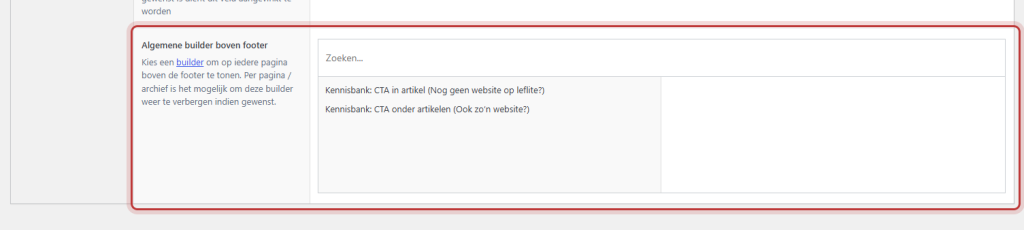
If you choose multiple builders, they will appear in that order stacked vertically. You can change the order by dragging them in the selection on the right.
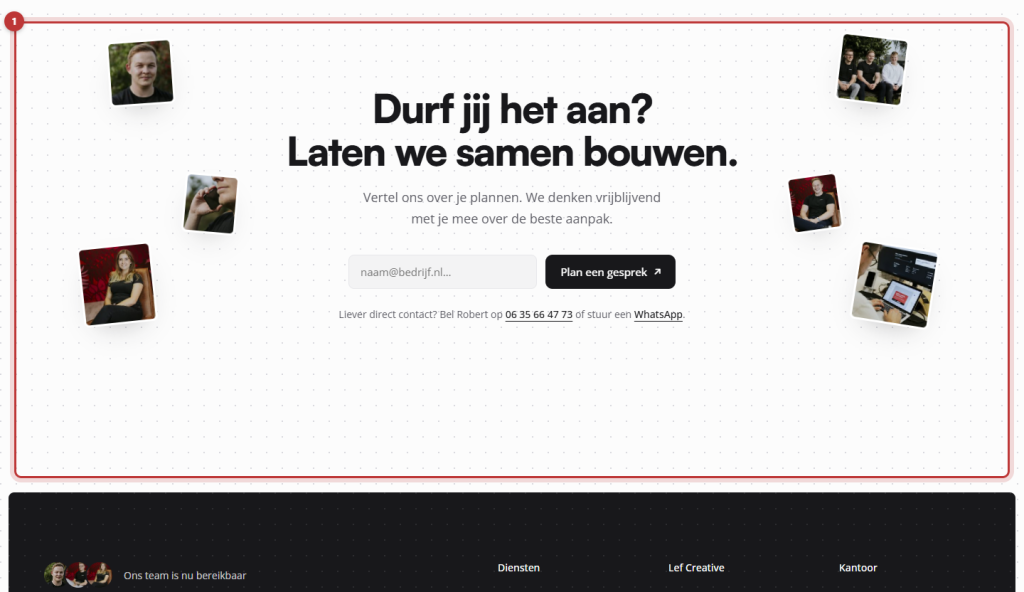
Good to know: the section above the footer is a builder, so you adjust it in the builder itself. See editing a synced pattern for how to edit a builder. A change will immediately reflect on all pages.
Turn off again
Remove the builder in General options, tab Footer, from the selection under General builder above footer (with the minus sign behind the name) and click Update. The builder itself will remain, and you can choose it again later.
Not showing on one page?
The section appears on every page. If you want to hide it on one page or on an overview page, you cannot currently turn it off per page yourself. Please contact us, and we will assist you.
Do you want additional sections only above or below an overview page, like your blog? You can set that in the overview page itself, see editing an overview page. You can adjust the rest of the footer (columns, logo, bottom bar) as described in adjusting the footer and bottom bar.
Not working?
- My builder is not in the list. Check if it is published. Use the search field above the list.
- The section appears twice. It is also placed separately on the page. Remove it from the page.
- I cannot see the section. Click on General options and click Update and refresh the page. If your website uses caching, please wait a moment.
- The section needs to be removed from one page. You cannot set that yourself right now. Please contact us.
Read more about builders in what are builders and patterns.
Can’t figure it out? Please contact us.
Share this article
Robert Oosterloo
Robert Oosterloo is eigenaar en UX/UI-designer van Lef Creative in Kollum. Hij ontwerpt websites, webshops en software voor ondernemers in Noord-Nederland.
Read also
Builders and patterns explained
Adjusting or unlinking a synced pattern
Adjusting an overview page






Want a website like this?
Here you can read how easy it is to maintain a leflite site yourself. Want one too? We will think along with you, no strings attached.
Prefer direct contact? Call Robert at 06 35 66 47 73 or send a WhatsApp.