
How do I make a column or card fully clickable?

Robert Oosterloo
Updated on · 3 min read
Visitors often click on the photo or the title of a tile, not just on the button. Therefore, it is nice if the entire tile is clickable. In leflite, this can be done with a few blocks, but not with every column. Here you can read which method you choose.
In short
- The blocks Card normal and Card simple are fully clickable.
- The click goes to the first link in the card, usually the button.
- Cards from the block Highlight are automatically clickable.
- A column with Display column as card is not fully clickable.
Short answer
If you want a clickable tile, use a Card block or the Highlight block instead of a column as a card. If only a photo needs to be clickable, use the Image block with a link.
Option 1: the Card block
- Click on the + in a column and choose under Cards the block Card normal or Card simple.
- Fill in the image, title, and text.
- Add a button under Buttons and choose at Button the page where the card should link to.
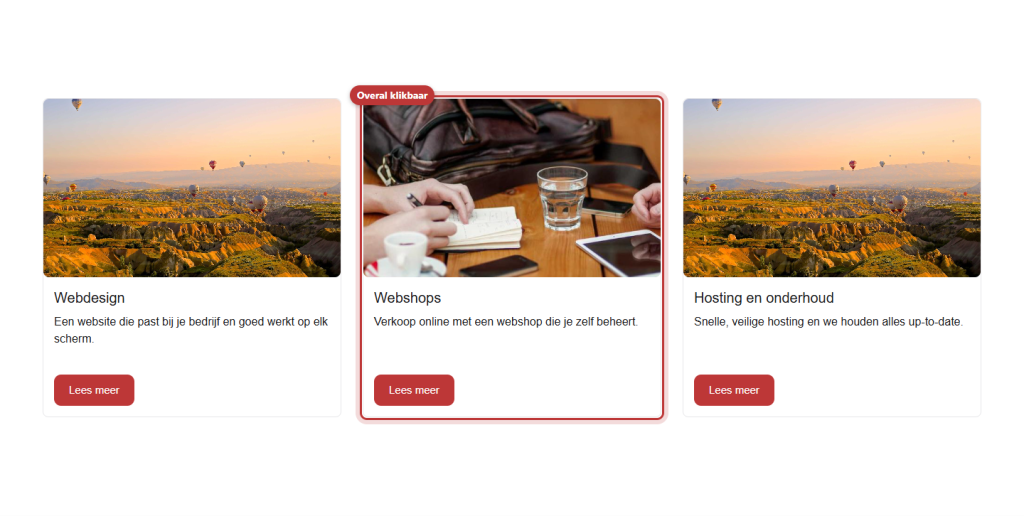
Now the entire card on your site is clickable: the photo, the title, the text, and the button. How to fill a card further, you can read in a card with image, text, and button.
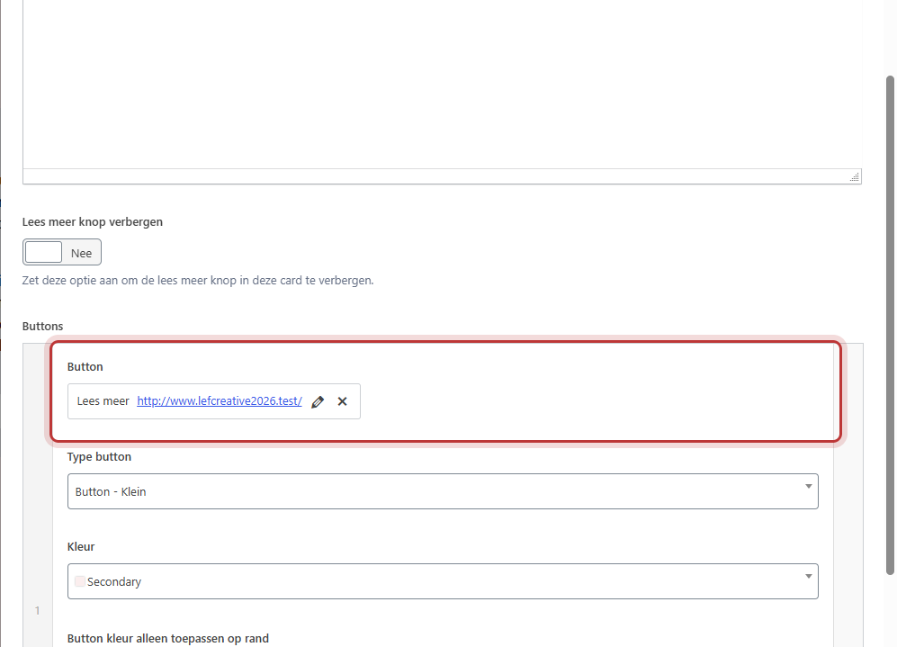
The first link determines where the click goes
- If you click anywhere on the card, you go to the first link in the card. This is usually the first button, but a link in the text that appears earlier also counts.
- If that link opens in a new tab, then the entire card also opens in a new tab.
- Links to a phone number or email address are ignored: they do not make the card clickable.
- With Card simple the card is only clickable if the read-more button is not hidden.
Nog geen website op leflite?
Wij bouwen hem samen met jou. Daarna pas je alles zelf aan, precies zoals in dit artikel.
- Online binnen een week
- Hosting, SSL en back-ups inbegrepen
- Vanaf €49,95 per maand

Option 2: Highlight (automatically clickable)
The block Highlight automatically fetches pages, posts, or other items and displays them as cards. These cards automatically link to the item, and the entire card is clickable. This applies to the card templates Card-default, Card-simple, and Card-portfolio. Reviews (Card-reviews) are not clickable, as they do not have their own page. Read the Highlight block.
Option 3: an image with a link
If you only want to make a photo clickable, for example, a banner? Use the block Image and fill in Image link (optional). See placing an image with caption or link.
What cannot be done: making a card column clickable. A column where you have enabled Display column as card remains a regular box. Only the buttons and links inside it are clickable. If you have created such a column and want it to be clickable? Replace the content with a Card block. More about card columns in displaying a column as a card.
Not working?
- The card is not clickable: does it have a button or link? Without a link, the card does not know where to go.
- The card goes to the wrong page: there is a link in the text before the button. Remove that or place the button with the correct link first.
- A Card simple is not clickable: is Hide read more button enabled? Turn it off.
- You want the card to call or email: that can only be done with the button itself. Place the phone link on a button; the rest of the card will then remain unclickable.
Frequently asked questions
The button can, but the entire card cannot: phone and email links are ignored.
Share this article
Robert Oosterloo
Robert Oosterloo is eigenaar en UX/UI-designer van Lef Creative in Kollum. Hij ontwerpt websites, webshops en software voor ondernemers in Noord-Nederland.
Read also
More space between blocks
Tabs with Section tabs
Automatically display subpages as tiles






Want a website like this?
Here you can read how easy it is to maintain a leflite site yourself. Want one too? We will think along with you, no strings attached.
Prefer direct contact? Call Robert at 06 35 66 47 73 or send a WhatsApp.