
You have a form in Gravity Forms and want to display it on a page. In leflite, you do this with a short code, a shortcode, in a regular Text block. In four steps, your form will be online.
In short
- Find the ID of your form under Forms → Forms.
- Add a Text block to your page in a column.
- Paste
[gravityform id=1 title=false description=false ajax=true]and replace the 1 with your ID. - Save the page and check the result.
What do you need?
- A form in Gravity Forms. Don’t have a form yet? First, check how to edit a contact form.
- A page with a section and a column where the form should be. See how to add a section and divide into columns.
Step 1: Find the ID of your form
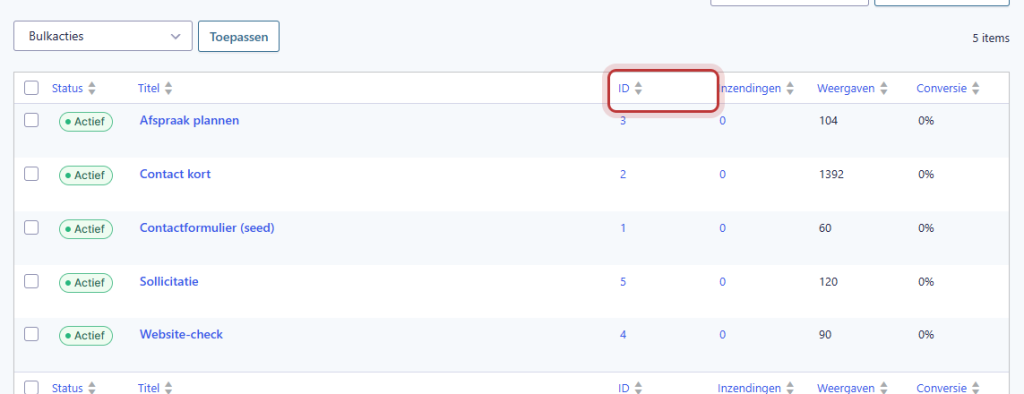
Go to Forms → Forms. In the list, each form has a number in the ID column. Remember the number of the form you want to place.
Nog geen website op leflite?
Wij bouwen hem samen met jou. Daarna pas je alles zelf aan, precies zoals in dit artikel.
- Online binnen een week
- Hosting, SSL en back-ups inbegrepen
- Vanaf €49,95 per maand

Step 2: Add a Text block
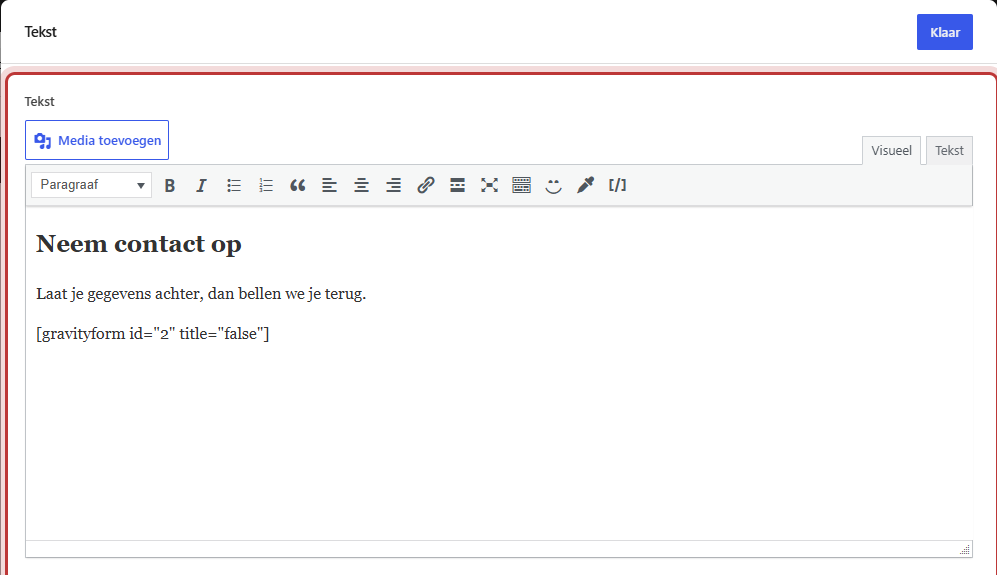
Open the page in the editor. Click in the column where the form should go on the + and choose the block Text. How to add a block is explained in using the Text block.
You can place a heading and a short introduction above the form in the same block, for example, “Ask your question” with a line of explanation.
Step 3: Paste the shortcode
Put the shortcode on its own line in the Text block:
[gravityform id=1 title=false description=false ajax=true]
Replace the 1 with the ID from step 1. Use the text field just like you type text; you don’t need to switch to an HTML view.
What do title, description, and ajax mean?
- title=false: the title of the form (as you named it in Gravity Forms) will not be displayed. Usually, you place a heading above the form yourself, so you don’t want it to appear twice.
- description=false: the description of the form will not be displayed. If you leave these two out, Gravity Forms will show them.
- ajax=true: the form is submitted without the page reloading. The thank you message will then appear in place of the form. This is necessary in a pop-up.
Step 4: Preview the page
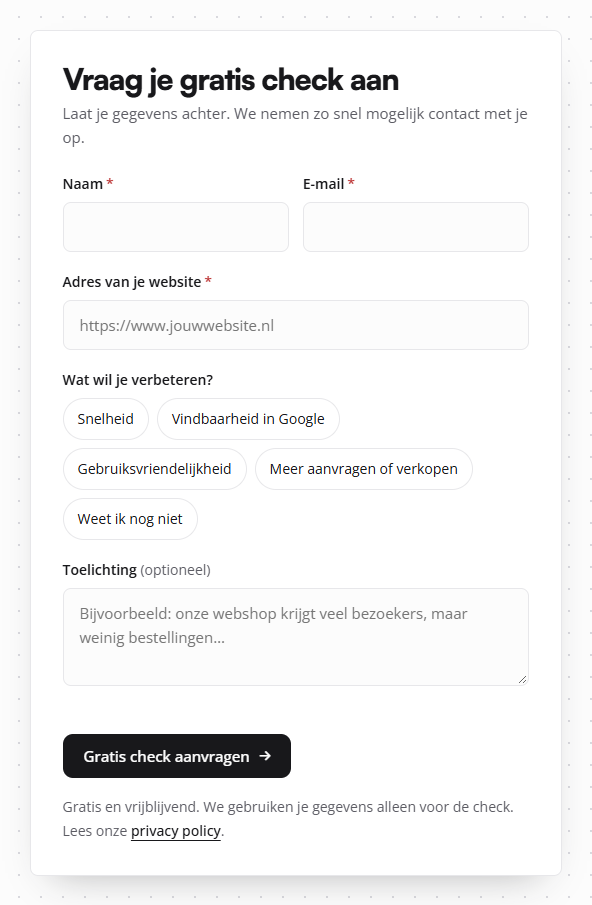
Click on Save (or Publish) and preview the page. The form is now there, in the style of your website. In the editor, you will only see the shortcode; the actual form will be visible on the website itself.
Tip: always test the form yourself once after placing it. This way, you can be sure that the message arrives at the correct address.
Why not a Gravity Forms block?
Gravity Forms has its own block, but it is intentionally not included in the editor in leflite. All content in leflite is organized in sections and columns with the theme’s own blocks. By using the shortcode in a Text block, the form fits neatly in there, and the theme recognizes that there is a form on the page and only then loads the scripts that the form needs. This keeps your other pages fast.
Having trouble?
- You only see the text of the shortcode on the website. Check the brackets and spelling:
gravityformwithout an s. Preferably copy the shortcode from this article and only change the ID. - A different form appears. The ID is incorrect. Check the number again in the ID column.
- Nothing appears. The form may be inactive or in the trash. Reactivate it in the list.
- The title of the form appears twice. Add title=false in the shortcode.
- The form is in a pop-up and the page jumps after submission. Add ajax=true. See how to display a form in a pop-up.
Can’t figure it out? Contact us or call 06 35 66 47 73. We are happy to help.
Share this article

Robert Oosterloo
Robert Oosterloo is eigenaar en UX/UI-designer van Lef Creative in Kollum. Hij ontwerpt websites, webshops en software voor ondernemers in Noord-Nederland.
Read also
How do I ensure that the email from my website arrives?
How do I set who receives the form messages?
I’m not receiving messages from my form: what now?






Want a website like this?
Here you can read how easy it is to maintain a leflite site yourself. Want one too? We will think along with you, no strings attached.
Prefer direct contact? Call Robert at 06 35 66 47 73 or send a WhatsApp.